
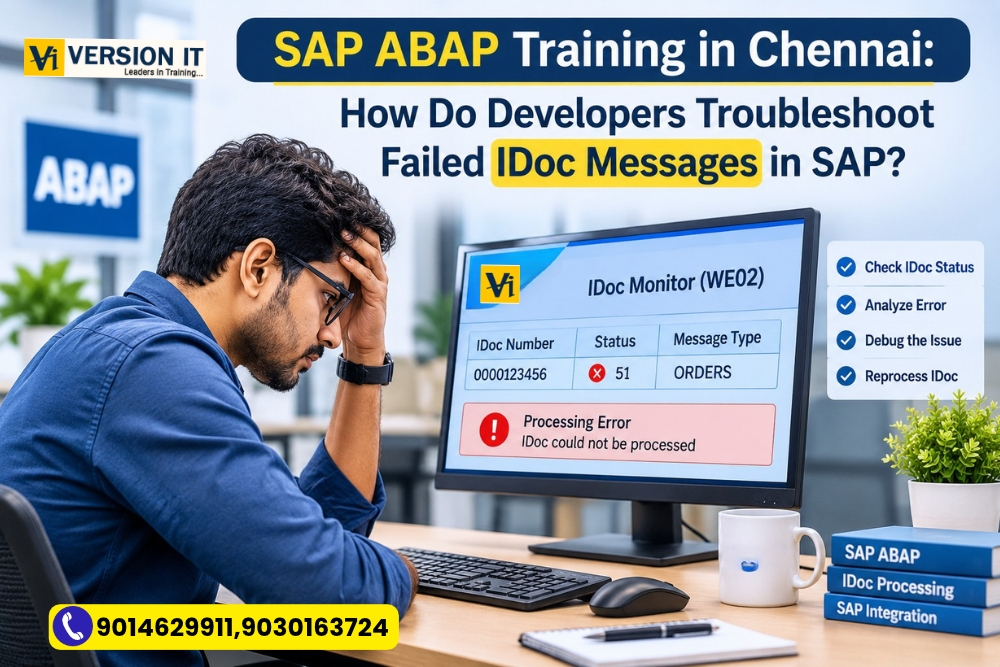
Each day a company sees hundreds of orders from customers on its website. The business is looking at transferring all the order information automatically into SAP with the help of an integration system rather than using it manually.
The vast majority of order are received without any problem at SAP. But one morning, the support team finds that some of the customer’s orders have not been present in the system. The messages are successfully sent via the external application, but the documents are missing in SAP.
What could have happened?
The issue might be due to an IDoc processing error.
IDocs are a vital link to the communication between SAP and external applications. It is important for ABAP developers to understand how these messages are received, processed and monitored. It is also a hands-on learning experience for students keen on enrolling for SAP ABAP Training in Chennai.
What is an IDoc in SAP?
IDoc is an acronym for Intermediate Document. It is a standard SAP data format to share business data with other SAP systems and applications.
An organization could have different apps for online sales, warehouse operations and financial transactions, for instance. These systems will have to transfer this information to a system that will enable business processes to run without manual data entry.
An IDoc is structured data that is sent across systems.
There are three key areas in a typical IDoc:
Control Record: Information about the message, including sender, recipient, message type and basic IDoc information.
Data Records: Store business data. For a sales order, this can contain information on the customer, material and order-related information.
Status Records: Give the status of the processing of the IDoc and show if there was a success or error.
These sections will assist developers in determining the location of a problem that might have occurred.
RBS: Why was the Customer order rejected?
Imagine an online retailer that pushes customer orders from their ecommerce site to SAP.
A customer buys 5 products from the website. An outbound message is generated from the external application and sent to SAP. However, the incoming information cannot be processed by SAP, since one of the material numbers does not exist in SAP of the receiver system.
Therefore, for some reason the IDoc will receive a failure status rather than a business document.
The technical team should now go into investigation about the problem.
As long as it takes to provide a solution, a developer shouldn’t rush to alter the program or to re-send the message. The cause of the failure needs to be determined first.
It is in this case that IDoc monitoring is crucial.
How can an ABAP Developer determine if an IDoc is in Error?
SAP offers a number of transactions for technical teams to use to investigate IDoc-related issues.
These are some handy transactions that students need to know:
Transaction Purpose
WE02 Display and analyse IDocs
WE05 Search and monitor IDoc records
BD87 Reprocess eligible IDocs
WE19 Test IDoc processing using test data
WE20 Maintain partner profiles
WE30 Maintain IDoc basic types
For instance, a WE02 can be used to search for IDocs by date, message type, partner or status.
Once opened, the developer can consult the status records of a failed IDoc to see why the IDoc failed and the message details, which provide further detail on the failure.
The following are some of the common IDoc statuses:
- 03: Data passed to the port successfully.
- 12: Dispatch successful.
- 51: Application document not posted.
- 53: Application document posted successfully.
- 64: IDoc ready to be transferred to the application.
The meaning of a status is dependent on its processing direction and context. Pupils should be taught to read the entire message of the status message, and not just the number.
How to respond following the discovery of the error?
The fact that you’ve identified an error is just the first step. The next step is to determine the cause of the problem: master data, configuration, message structure or custom ABAP logic.
Let’s take the example of missing material once again.
The developer looks at the failed IDoc and finds that the material number sent from the external application is not the same as the material that is being maintained in SAP.
The investigation could include:
Validating incoming data: Validate material number and other relevant data in the IDoc data records.
Reviewing master data: Ensuring that the content is available and is in line with the required organisational levels.
Review the processing logic: Is any custom function module or enhancement doing additional validations?
Testing of the correction: Test in an appropriate test environment that the corrected information is processed.
Upon successful completion of the actual problem, an authorised user can reprocess the IDoc, if eligible, with the proper procedure, for example, BD87.
Please take note that reprocessing is not the solution to a root cause data or configuration issue. The cause has to be rectified.
When Will ABAP Programming be Used?
In addition to errors, standard SAP monitoring tools are used to find errors; some organisations also process business information with custom ABAP logic.
For instance, if a company needs to verify incoming orders before generating sales documents then it can have a custom requirement for this.
An ABAB developer can collaborate with:
Function Modules: Incoming and outgoing messages often are processed by functional modules.
User Exits and Enhancements: These can be used to enable additional business validations that require the addition of standard functionality.
Internal Tables and Structures: These are used by developers to read, process and organize the information in the IDoc data records.
Debugging: Breakpoints and debugging techniques include features that enable the developer to trace the program’s execution and discover where the processing is going wrong.
Students should also be aware of the difference between ‘standard SAP processing’ and ‘custom developed logic’. This helps to make troubleshooting more systematic.
How To Practice IDoc Processing?
The reading on IDocs is helpful but the hands-on exercises help imbibe the concepts.
One effective training session is the simulation of an incoming order from a Customer and a study of the processing of that order.
This learning sequence can be used by students:
- Review the outline of an IDoc sample.
- Find its control, data and status records.
- Know the meaning of the message type and basic type.
- Look at a sample failed processing message.
- Determine the source or source group of the problem.
- Discuss about the relevant function module and how it functions.
- Try different test IDoc data in WE19 with a suitable training environment.
- Look at what happens to the message once the underlying issue is addressed.
WE19 needs to be used with caution for testing, as it may produce application documents in some configurations. Therefore, practical exercises should be done in a non-production system.
This kind of learning enables students to get a grasp of the SAP integration functional and technical aspects.
So, What is the Use of IDoc for ABAP Developer?
There are numerous business applications that have to communicate with SAP. This offers the developers an opportunity to grasp the concept of data exchange, message processing and error handling.
IDoc knowledge is useful to projects where you need to:
- SAP-to-SAP communication.
- E-commerce order integration.
- Transfers of customer and vendor master data.
- Warehouse and inventory applications.
- Electronic Data Interchange (EDI).
- Automation of business documents.
You can be a part of integration support and development activities if you are an ABAP developer and can investigate failed messages and understand the underlying program logic.
These concepts are a good way to get a hands-on introduction for freshers on how SAP systems communicate with other applications. This can be valuable information for experienced professionals to add to their technical troubleshooting toolkit.
Develop Your Technical Skills with Version IT
Version IT offers a structured approach to learning and hands-on experience for students interested in SAP ABAP, allowing them to develop their technical skills.
These vital learning areas are ABAP programming basics, data dictionary, internal tables, Open SQL, reports, function modules, enhancements, debugging and IDoc processing.
Students should learn the reason for the behaviour of a program, the way in which the program interacts with business data and how technical errors can be systematically investigated.
For anyone looking to venture into the SAP development field, SAP ABAP Training in Chennai can be beneficial to know about enterprise application development and system integration.
A Final Thought
An IDoc error does not necessarily mean that there is a programming issue. It can be due to faulty data, missing configurations or the receiving application problem. A good ABAP developer is able to find out what happens in the whole process and decide on changes accordingly. The knowledge of why things are wrong is useful for practical SAP development usage.


